Start with the hands, not the phone
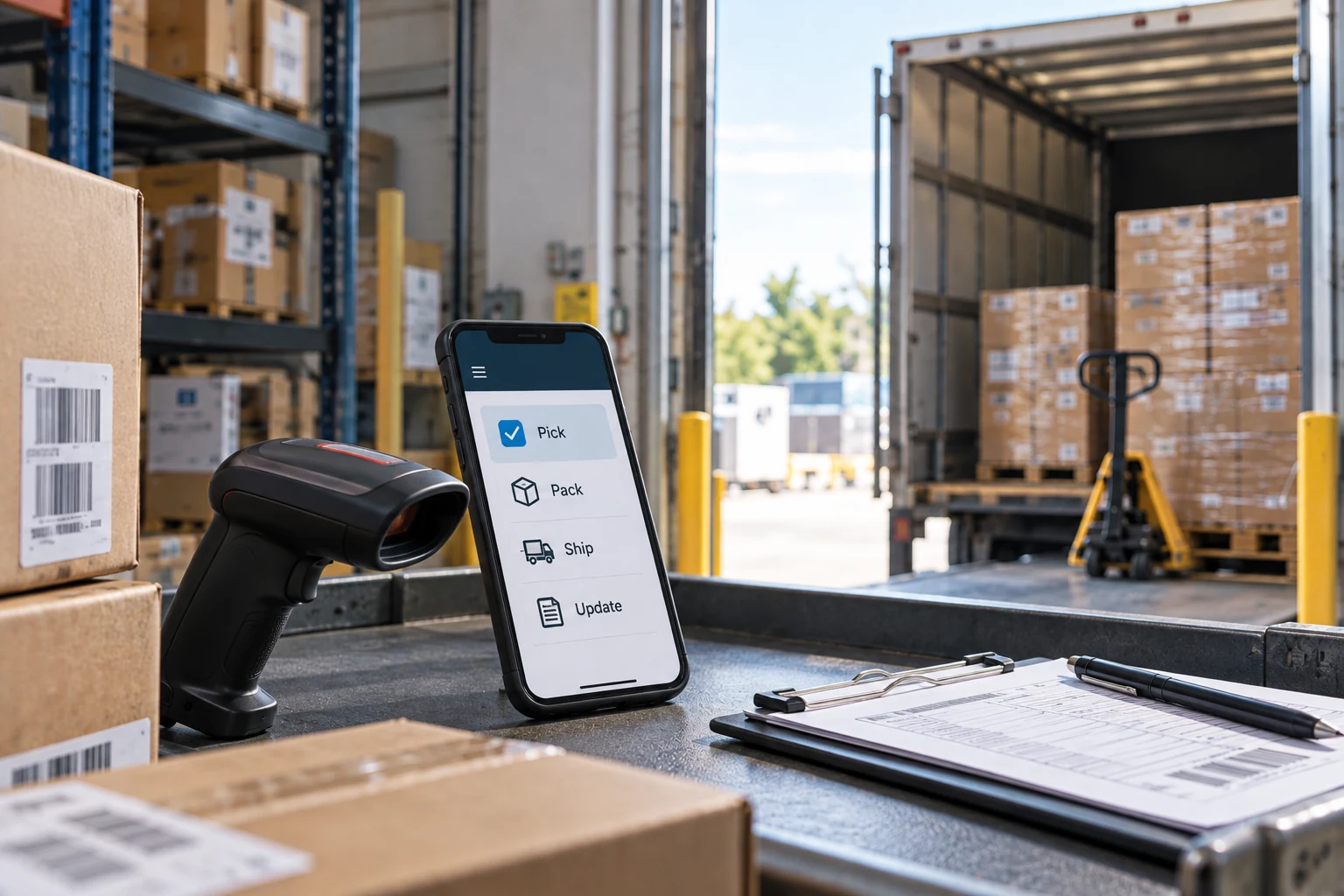
The useful first question is not what the app should do. It is who is holding the phone, where they are standing, and what their other hand is doing. A warehouse picker with a scanner, a nurse between rooms, a technician in a crawl space, a driver at a loading dock — these are people for whom a phone is the only practical surface, and the answer is often yes. A customer on a sofa deciding whether to book something is a person with a browser, and building them an app usually means building a second version of your website that ninety percent of them will never install.

This is not an argument against apps. It is an argument for knowing which of two very different projects you are funding, because they have different costs, different risks and completely different odds of being used.
You are probably here because
- A competitor launched an app and someone on the board noticed
- Your crews are entering work on paper and retyping it in the office
- You were quoted three numbers for the same app and they differ by 4x
- Someone said “we just need a simple app” and nobody has priced the second year
The second item is a strong case. The first is not one yet, and the sections below are how to tell them apart.
The three reasons an app is really an app
Offline. The work happens in a basement, a freezer, a rural property, a steel building, a plane. If the job must be completable with no signal and synchronised later, that is an app. Browsers can cache, but nothing in a browser survives the trip a technician's phone takes through a building.
Hardware, used seriously. Continuous barcode scanning, a Bluetooth device such as a printer or a meter, background location during a route, a camera pipeline that measures rather than photographs. A browser can take a picture. It cannot hold a Bluetooth session while the screen is off.
Notifications you control the cadence of. A dispatch alert that must arrive within seconds, on the lock screen, whether or not the person has the app open. This is the weakest of the three for customer-facing work and the strongest for internal work, for a reason covered below.
If your idea needs none of these, build a well-made mobile website, make it installable to the home screen, and spend the difference on the thing customers actually complained about. We have given that recommendation to businesses that were three weeks from signing an app contract, and none of them have regretted it.
Run the install arithmetic before anything else
For a customer-facing app this is the number that decides the project, and it is almost never computed. You have some count of customers. Some fraction will install. That fraction is the ceiling on every benefit in the business case.
For an ordinary business with an existing customer base and no advertising budget behind the launch, installs in the range of five to twenty percent of active customers in the first year is a realistic band, and the low end is more common than owners expect. Four thousand customers at twelve percent is four hundred and eighty people. Ask whether the app is worth building for four hundred and eighty people, because that is the honest question.
Notification opt-in cuts it again. On iOS the customer must agree to notifications, and for a genuinely useful utility app the acceptance rate commonly lands somewhere between forty and sixty percent, lower for anything that reads as marketing. So the audience for your push-driven feature is a fraction of a fraction. This is not an argument to skip the app. It is an argument to compute the denominator before the budget is approved.
The internal app is the far stronger case
Everything that makes a customer app hard is solved for an internal one. Distribution is not a marketing problem, it is a policy: the app is how the work gets recorded. Notification opt-in is part of onboarding. Offline and hardware are usually the actual requirements rather than nice-to-haves. And the return is measurable in a way consumer engagement never is, because you can count the hours currently spent retyping paper forms.
If a business has never built an app and wants to start, the crew app is nearly always the better first project. It is smaller, the users are reachable, feedback arrives the same day, and if it is bad you will hear about it by lunchtime rather than reading it in a store review nine months later.
Where a first app budget actually goes — our typical split
Weights sum to 100. A typical split for a first business app, not a measurement. Note where the screens rank.
The backend is the actual project
Most requests that arrive as "we need an app" are two thirds a data problem. The information the app must show lives in an accounting package, a scheduling tool, a warehouse system and a spreadsheet, and none of them will answer a question over a network in under a second. Before any screen can be drawn, someone has to build the layer that can.
This is why quotes vary by four times for the same brief. A firm quoting the screens is quoting a third of the work. A firm quoting the integration has read the brief. When you compare proposals, compare what each says about where the data comes from — that section, not the design section, predicts the final invoice.
Offline sync is a business decision wearing a technical costume
If two people edited the same record while one was offline, what should happen? That is not a setting. It is a rule about your business, and the right answer differs by field: last write wins for a status, always merge for a photo list, never overwrite for a signature, and escalate to a human for a price.
Teams that treat this as a library choice discover the problem in production, usually as a customer reporting that yesterday's notes vanished. Write the conflict rules down per field before the sync layer is built, and expect that conversation to take a week and involve people who have never been in a technical meeting. It is one of the highest-value weeks in the project.
| Shape of build | What it typically covers | Order of magnitude | Annual carry |
|---|---|---|---|
| Installable mobile website | Responsive interface over an existing system, home-screen install, no store | Tens of thousands | Ordinary web maintenance |
| Single-platform internal app | One workflow, accounts, offline capture, one hardware integration | Roughly $60K–$150K | 15–25% of build |
| Two-platform app with a backend | iOS and Android, sync, notifications, integration into two systems | Roughly $150K–$400K | 15–25% of build |
| Customer-facing app with commerce | Payments, accounts, support surface, store presence, marketing | Higher, and open-ended | Higher, plus acquisition spend |
Two things about that table. The ranges are wide because scope is what drives cost, not platform. And the annual carry is not optional maintenance — it is the price of the app continuing to exist. Both platforms ship a major operating system release every year, both stores raise their minimum requirements, and a dormant app breaks on someone else's schedule.
Cross-platform is the right default, with exceptions
For a business app with forms, lists, sync and a camera, a cross-platform framework gives you one codebase and one team, and the result is indistinguishable to users. That is most business apps, and it is the default we recommend.
Go native when the hard part is platform-deep: sustained background location, complex Bluetooth sessions, a camera pipeline doing real work, heavy graphics, or tight integration with device management. Those are the places where cross-platform work turns into writing platform-specific code inside a cross-platform wrapper, which is the worst of both. Decide this on the hardware requirements, never on a framework preference.
The gate you do not control
Both stores review submissions, and both reject. The most common rejection for a first business app is minimum functionality: an app that is a repackaged website, with no capability a browser lacks, is explicitly not accepted. Budget for two or three review rounds on the first submission, plan the privacy disclosures with whoever owns the customer data, and remember that if the app allows account creation it must also allow account deletion from inside the app. There are also recurring costs — a paid developer program on the Apple side and a one-time registration on the Google side — small in money and absolute in effect: let a certificate lapse and the app stops updating.
What to do instead, for six weeks
Before committing to a build, do the cheapest version and measure. Make the workflow work on a phone browser, hand it to twenty real users, and watch. You will learn three things the specification could not tell you: whether people use it standing up, which fields they skip, and where the connectivity actually fails.
If the answer comes back that they need it in the freezer aisle where there is no signal, you now have a funded, evidenced requirement for an app. If it comes back that they used it at a desk, you have saved a year and a budget, and the mobile site can stay.
What we get called in to fix
- A repackaged website submitted to the stores and rejected for minimum functionality
- No install-rate estimate in a business case built on customer adoption
- Offline added after launch, which means rewriting the data layer
- Conflict resolution chosen by a library default, discovered when notes disappeared
- No second-year budget, so the app breaks on the next operating system release
- Signing certificates held by a contractor who is no longer answering email
- Push notifications used for promotion, followed by a collapse in opt-in
- Text that will not scale for customers who need larger type
A six-week decision pass
Before a build is approved
Step six is a real decision with three outcomes, and "neither" has to be genuinely available or the exercise is theatre. We have run this and landed on "neither" more than once, and the client was better off.
Before you sign a build contract
- At least one of offline, hardware or notification cadence is a hard requirement
- The reachable install count is written down and someone owns it
- The proposal explains where the data comes from, not only what the screens look like
- Offline conflict behaviour is specified per field
- Year two is budgeted at fifteen to twenty-five percent of the build
- Store accounts and signing certificates are in your company's name
- Source code, build pipeline and store listings transfer to you in writing
- Text scaling and contrast are in the acceptance criteria
- Someone is named to answer store reviews and support requests
Bottom line
An app is justified by offline work, by hardware, or by notifications you control — and by very little else. Internal apps clear that bar far more often than customer apps, and they are cheaper to prove. Whatever you build, the backend integration is the majority of the cost, the offline rules are a business conversation rather than a technical one, and the second year is not optional. Run the install arithmetic first. If the denominator is small, the most valuable thing an outside firm can tell you is not to build it.
Frequently asked questions
A mobile website is enough unless you need offline completion of work, serious hardware access such as sustained Bluetooth or background location, or notifications that must arrive on the lock screen on your schedule. Those three are the honest reasons. Everything else is a website that somebody wanted an icon for, and the stores will often say so during review.
Scope drives it, not platform. A single-platform internal app covering one workflow with offline capture commonly lands in the sixty to one hundred and fifty thousand dollar range; two platforms with synchronization, notifications and real integration into existing systems often runs one hundred and fifty to four hundred thousand. Budget fifteen to twenty-five percent of the build every year afterwards simply to keep it working.
Because some firms are quoting the screens and others are quoting the integration, and the integration is usually the larger half. Compare what each proposal says about where the data lives and how it will be read and written. That section predicts the final invoice far better than the design section does.
Cross-platform is the sensible default for a business app built of forms, lists, sync and a camera — one codebase, one team, and users cannot tell. Choose native when the hard part is platform-deep: continuous background location, complex Bluetooth, a real camera pipeline, heavy graphics, or tight device-management integration.
Fewer than anyone expects. For an established business with no launch advertising, five to twenty percent of active customers in the first year is a realistic band, and notification opt-in then removes another forty to sixty percent of those. Compute that number before the budget is approved, because it is the ceiling on every benefit in the case.