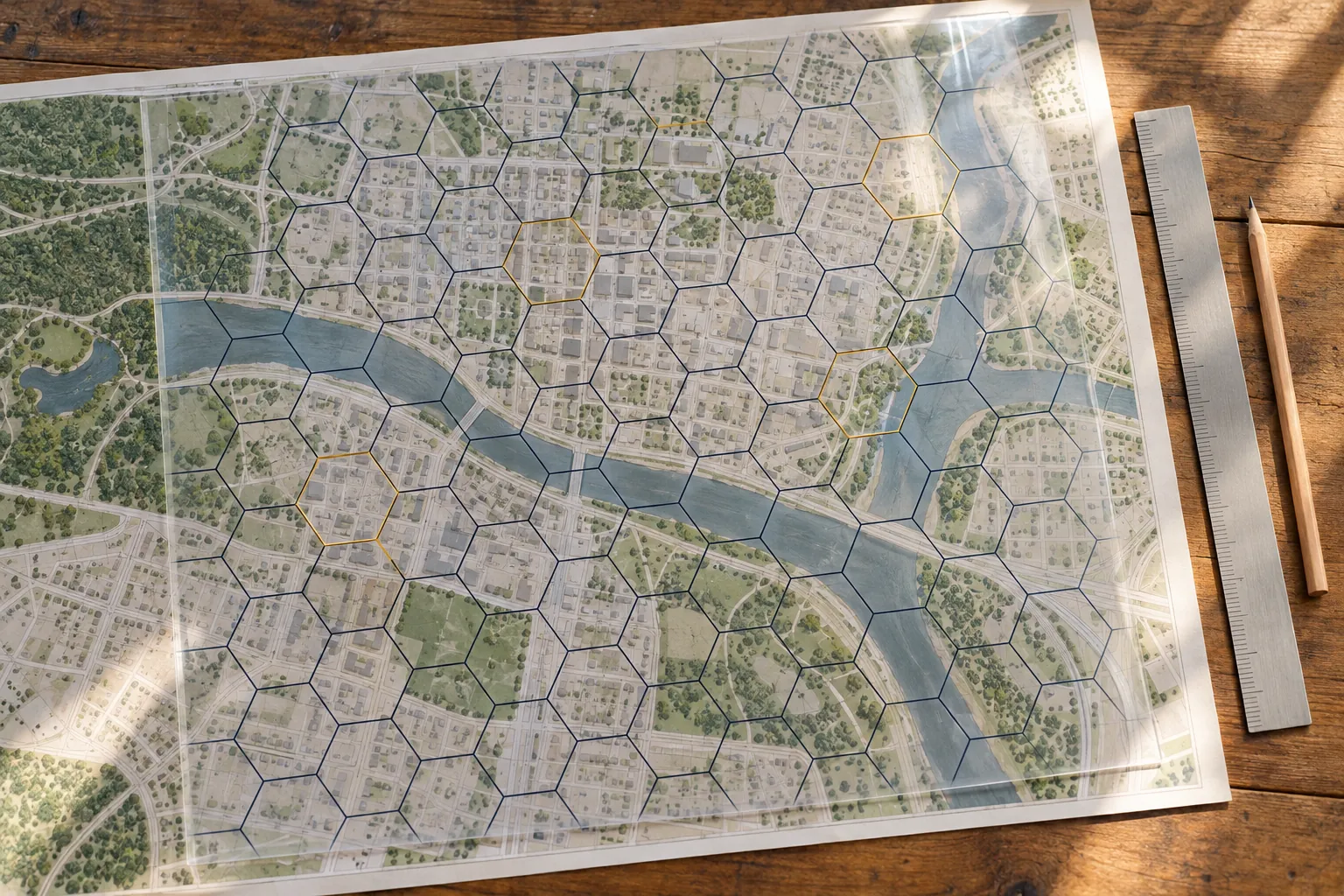
A shared grid makes unrelated data comparable
Public data arrives in every shape. Crashes come as points with coordinates. Service locations come as addresses. Mobile coverage comes as polygons. Census figures come as tracts and block groups that change every ten years. Answering a question that crosses those datasets, such as where crashes cluster on roads with weak coverage, normally means a chain of spatial joins, each with its own edge cases. A shared grid replaces that chain with one step: index everything to the same cells, then join on a cell ID like any other key.
H3 is the grid most teams reach for now. It is a hierarchical hexagonal grid that Uber developed and released as open source under the Apache 2.0 license, and it is maintained as a community project with bindings for most languages and extensions for several databases. It turns a geospatial problem into a table problem, which is where most analysts are strongest.
This article covers how H3 works, how to choose a resolution, what joins it makes easy, where it misleads, and how to show the results to people who will never read a methods section.
What H3 is
H3 divides the globe into hexagonal cells at 16 resolutions, numbered 0 through 15. Resolution 0 is the coarsest, with 122 base cells covering the earth. Each step finer divides cells into roughly seven children, so cell counts grow by about a factor of seven per resolution, and the finest resolutions resolve features smaller than a parking space.
Every cell has a 64-bit index, usually shown as a 15-character hexadecimal string. The index encodes the resolution and the cell's position in the hierarchy, so finding a cell's parent is arithmetic on the index, not a geometric search. That is the property that makes aggregation fast.
The grid is built by projecting an icosahedron onto the sphere and tiling each face with hexagons. A sphere cannot be tiled with hexagons alone, so each resolution includes exactly 12 pentagons, one at each vertex of the icosahedron. The orientation places those vertices over open ocean, which is why most work on land never encounters one.
Why hexagons
The case for hexagons comes down to neighbors. In a square grid, a cell has four neighbors that share an edge and four that touch only at a corner, at a greater distance. Any analysis of movement, spread or proximity has to decide how to treat the diagonals, and the choice affects results. In a hexagonal grid, all six neighbors share an edge and every neighbor's center sits at the same distance from the center cell.
That equal spacing makes neighborhood operations clean. A "ring" of cells within distance k of a cell, which H3 calls a grid disk, approximates a circle far better than the square block a square grid produces. Smoothing a noisy count across neighbors, finding clusters, or estimating how far service reaches all behave more predictably.
Hexagons also read well on a map. Squares produce visible rows and columns that draw the eye along the grid lines. Hexagons tile without those lines, so a viewer sees the pattern in the data rather than the pattern of the grid.
Resolutions and parent-child aggregation
Aggregation is where H3 earns its place. Index each record at a fine resolution once, then roll counts up to any coarser resolution by replacing each cell with its parent and summing. A single table of crashes indexed at a fine resolution serves a neighborhood view, a district view and a regional view without touching the coordinates again.
One detail trips people up. The hierarchy is approximate, not exact. Seven hexagons cannot perfectly assemble into a larger hexagon, so a parent cell's seven children cover nearly the same area as the parent but not precisely. Summing children to a parent is exact for the records, because each record belongs to exactly one child and each child to exactly one parent. The boundary of the summed area simply differs slightly from the parent's drawn outline, which matters only when you overlay H3 results on a precise legal boundary.
H3 also supports compaction: representing a large area with a mix of resolutions, using big cells in the interior and small cells along the edge. Compaction is useful for storing coverage areas and service territories efficiently. Expand back to a single resolution before joining, so both sides of the join use the same cell size.
Choosing a resolution
Choose the resolution from the question and the data density, not from what looks best. A practical rule: pick the finest resolution at which most cells you care about contain enough records to be stable. A cell with two crashes in five years tells you very little, and a map full of such cells mostly shows noise.
Work from the scale of the decision. A council deciding which corridors to study needs a resolution where cells span a few blocks. An engineer siting a specific improvement needs finer cells along a known road. A regional planner comparing towns needs coarse cells or no grid at all. Write the chosen resolution and the reason into the method before you look at the result.
That last point matters more than any technical choice in this article. Cell size changes the visual story, sometimes dramatically, because clusters appear and disappear as cells grow and shrink. Pick the resolution before you see the map, or you will end up picking the one that agrees with you. If you test several, report all of them.
Joining public datasets on a shared grid
Once every dataset carries a cell ID at the same resolution, cross-dataset questions become ordinary table joins. Points are indexed directly. Polygons are filled with the cells whose centers fall inside them. Lines, such as road segments, are sampled along their length and indexed at each sample point.
| Join | How each side is indexed | What it answers |
|---|---|---|
| Crashes and road segments | Crash points indexed directly, roads sampled along their length | Crashes per mile of road in each cell, a rate rather than a raw count |
| Coverage and crashes | Coverage polygons filled, crash points indexed | Whether crashes cluster where mobile coverage is weak, which matters for emergency calls |
| Service locations and population | Facilities indexed, population allocated from block groups to cells | Where residents are farthest from a clinic, library or transit stop |
| Service requests and parcels | Request points and parcel centroids indexed | Request volume relative to the number of properties, not just raw volume |
| Two years of the same dataset | Both years indexed at one resolution | Where change happened, cell by cell, without matching individual records |
Normalize before you map. A raw count of crashes per cell mostly shows where the roads and traffic are. Crashes per road mile, or per vehicle mile where traffic counts exist, shows where risk is higher than exposure explains. The grid makes the denominator as easy to compute as the numerator, which removes the usual excuse for skipping it.
Population needs extra care. Census figures belong to tracts and block groups, not cells, so allocating them to cells requires an assumption: spread evenly by area, or weighted by address points or building footprints. Weighting by address points is usually better, and the choice belongs in the method note.
From raw points to a map
A typical analysis follows the same sequence regardless of the subject.
Raw points to a published map, illustrative effort
Step one takes longer than every other step combined more often than not. Public point data carries records geocoded to a town center, a county centroid or the coordinates zero and zero. Those records pile into a few cells and create false hot spots. Find them by counting records per exact coordinate before you index anything.
Pitfalls that change the answer
H3 is easy to use and easy to misuse. These are the problems that change conclusions, not just appearance.
- Cells are not equal in area. Cell area varies within a resolution depending on location on the globe. For density, divide by each cell's actual area, which the library computes, rather than a published average.
- Pentagons exist. Twelve per resolution, mostly over ocean. Code that assumes six neighbors everywhere will fail near one, so handle them if the work is global.
- Edges distort. Cells along a town boundary are partly outside it. Their counts are low because half the cell is outside the study area, not because nothing happens there.
- Cell size shapes the pattern. The same data aggregated at two resolutions can show different clusters. Report the resolution and test the finding at a neighbor resolution.
- Small counts mislead and can identify people. Suppress or merge cells below a minimum count, especially for health, crime or service records.
- Polygon fill uses cell centers. A narrow polygon can contain no cell centers at all and vanish. Check that every polygon received at least one cell.
The edge problem deserves one more sentence because it fools experienced analysts. Boundary cells show low counts, the map paints the town's edges as quiet, and someone concludes the outskirts need nothing. Either clip cells to the boundary and compute rates on the clipped area, or index data from beyond the boundary so edge cells are complete.
Tooling
The core library is written in C, and most work happens through its bindings. In Python, the h3 package provides the functions you will use daily: latlng_to_cell to index a point, cell_to_parent to roll up, grid_disk to find neighbors, cell_to_boundary to draw a cell, and cell_area for the true area of each cell. Version 4 of the library renamed most functions from version 3, so check which version a code sample was written for before copying it.
Database extensions move the work closer to the data. The h3-pg extension adds H3 functions to PostgreSQL, with integration for PostGIS geometries. DuckDB has a community H3 extension that handles large point tables on a laptop. Several cloud data warehouses include H3 functions natively. Indexing inside the database means a cell ID becomes a column that ordinary SQL can group and join.
For display, JavaScript bindings and web mapping libraries can render H3 cells directly from their IDs, so a dashboard can ship a table of cell IDs and values instead of heavy geometry. Desktop GIS users can convert cells to polygons and use any familiar workflow.
Showing hexagon maps to people who decide
A council, a board or a program manager reads a map in seconds and remembers one impression. Design for that impression.
Put landmarks on the map: major roads, the town boundary, a few named places. Hexagons alone are abstract, and a viewer who cannot find their own street will not trust the rest. Use a sequential color scale with five or six classes and a legend in plain words, such as "crashes per road mile, 2021 to 2025," rather than variable names.
Show the denominator story when it matters. A pair of maps, one showing raw counts and one showing rates, teaches the audience more about the data than any paragraph. Mark suppressed cells in a neutral gray and say in the legend why they are gray.
Say what the grid is in one sentence, as in this illustrative example: "The area is divided into hexagons about half a mile across, and each is colored by its rate." Use the real approximate size for your resolution and area. That sentence answers the first question most audiences ask, and it keeps the conversation on the findings instead of the method.
When not to use H3
A grid is the wrong tool when the decision follows a real boundary. Funding allocated by census tract, enforcement by police beat, and representation by council district all need results reported on those boundaries, and a hexagon map adds a translation step the decision-maker does not need.
It is also the wrong tool for precise distance or network questions. How far a resident must drive to the nearest clinic depends on the road network, not on grid distance. Compute it with a routing engine and, if useful, summarize the results onto cells afterward. And for a few hundred points on one map, a plain point map often tells the story better than any aggregation.
Frequently asked questions
H3 indexes locations to a global grid of hexagonal cells so that data from different sources can be aggregated, compared and joined on a shared cell ID. Common uses include density maps, joining point data to coverage or service areas, and tracking change over time cell by cell.
Choose based on the decision and the data density: the finest resolution at which most cells you care about hold enough records to be stable. Decide before looking at results, record the choice in the method, and check that the main finding holds at a neighboring resolution.
No. Cells at the same resolution vary in area depending on where they sit on the globe, and each resolution includes twelve pentagons. For density calculations, use each cell's actual area, which the library provides.
No. Free bindings exist for Python, JavaScript and other languages, and extensions add H3 functions to PostgreSQL and DuckDB. Several cloud data warehouses include H3 functions natively, and desktop GIS can display cells once they are converted to polygons.