
Make sure you have a real reason
The most expensive replacement projects start because the old application looks dated. That is not a reason, and a project justified that way runs out of political support the moment it hits its first hard month. There are four reasons that hold up under scrutiny, and if none of them applies, the money is better spent somewhere else. The knowledge is concentrated in one or two people who are leaving or have left. The vendor has ended support, raised the price sharply, or gone away. An audit, a security review or a regulator has produced a finding the current system cannot answer. Or the business now needs to do something the application structurally cannot do, and the workaround has become the process.
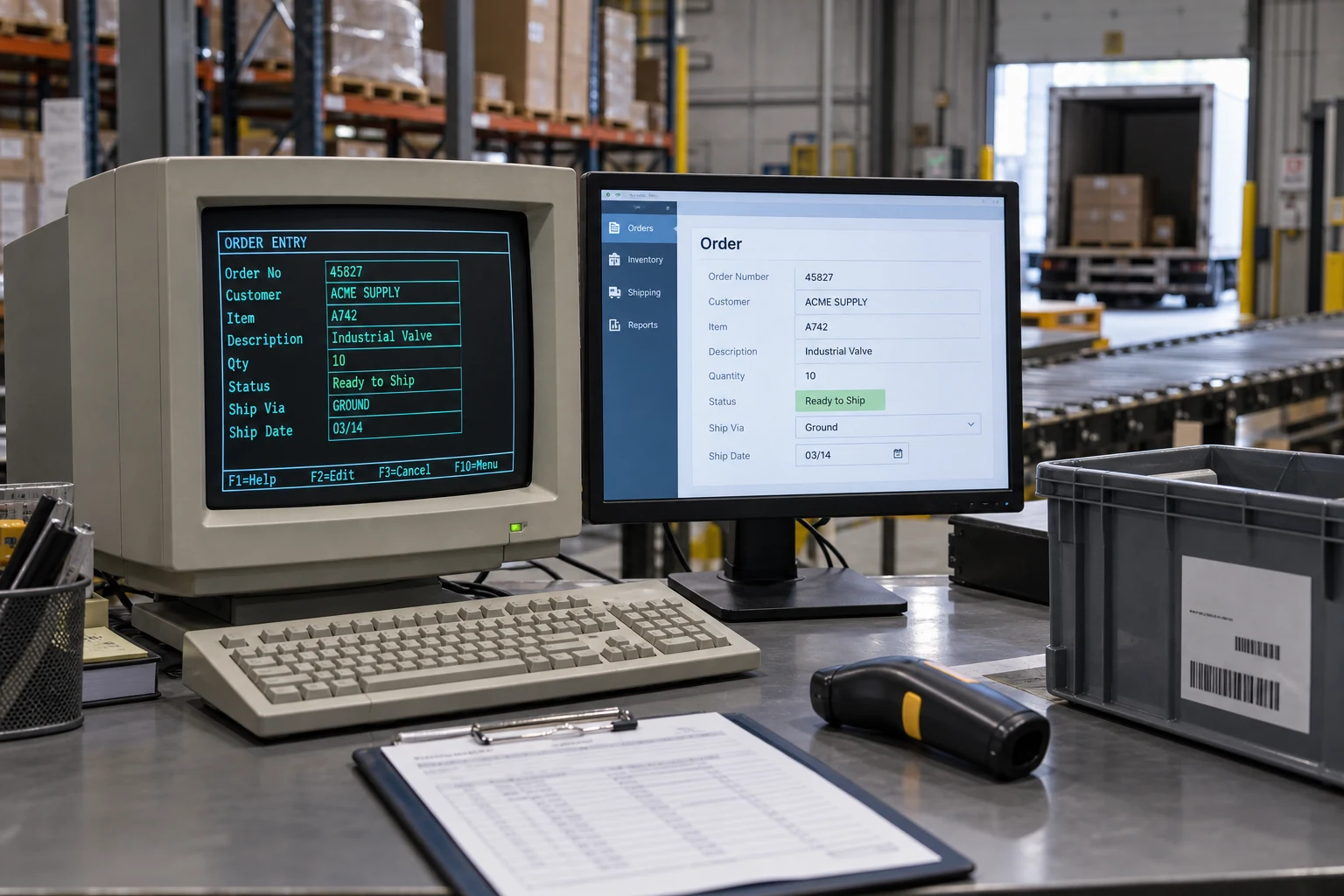
Notice what is not on that list: the technology is old. Software does not spoil. A twenty-year-old application that runs, that people understand, and that nobody has to modify is a good asset. Age becomes a problem only through one of the four doors above, and naming which door you are walking through changes the project. A knowledge-loss project is mostly documentation and knowledge capture. A compliance-finding project is mostly a narrow fix plus evidence. A capability project is mostly new work. Treating all three as "rewrite the app" is how a six-month job becomes a two-year one.

The requirements are in the old system, not in anybody's head
Every legacy application encodes years of decisions that were never written down. A discount rule for one customer, an exception for orders received after the third of the month, a field that means one thing when it is blank and another when it contains a zero. Nobody remembers putting them there. They are load-bearing anyway, because the business has arranged itself around them.
The first phase of a replacement is archaeology, and skipping it is the single most reliable way to fail. Four sources give up most of the truth. The first is the data itself: run a profile over the production database and look at what values actually appear in each column, how many rows use each code, and which fields are empty in ninety-eight percent of records. That tells you which features are alive. The second is the exports. Whatever people download every month is the report the business actually runs on, whatever the official reporting module claims. The third is the workarounds, and the person who does the workaround is the most valuable interview in the project. The fourth is the source code, if it exists, read specifically for the conditionals nobody can explain.
Budget three to eight weeks for this on a system of any consequence and treat the output as a deliverable in its own right. Even if the replacement is cancelled, a document that describes what the application does, which rules are real, and where the data problems are is worth what it cost.
You are probably here because
- One person understands the old system and is leaving
- A vendor has announced end of support and named a date
- Somebody quoted a replacement and you have no way to judge the number
- A previous attempt at this was cancelled and nobody wants to be the one who restarts it
The archaeology section is where a stalled project usually needed to start, and the migration section is where the previous attempt probably died.
Three shapes, chosen deliberately
There are only three ways to replace an internal application, and most failed projects picked one by default rather than on purpose.
| Shape | Fits when | What it costs you | Where it fails |
|---|---|---|---|
| Buy a product and migrate | The process is not how you compete, and a product covers most of it | Bending the business to the product; per-seat fees that grow; less control over the roadmap | When the last twenty percent of the workflow is the part that mattered, and the configuration to reach it costs more than a build |
| Rebuild it as it is, then improve | The rules are genuinely specific to you and mostly still correct | You reimplement decisions nobody defends, including the bad ones | When the team quietly redesigns while claiming parity, and the scope doubles without anyone deciding it should |
| Replace piece by piece behind the old front door | The system is large, cannot be stopped, and has separable parts | Running two systems at once for months, plus the routing layer between them | When the pieces are not actually separable because everything shares one database and one set of stored procedures |
The third shape is the one consultants recommend most and the one that requires the most honest assessment before choosing it. It works beautifully when the old application has natural seams, meaning distinct modules that exchange information through something resembling an interface. It works badly when the whole thing is one database with business logic scattered through it, because then the seam has to be invented, and inventing a seam inside a system you did not write is a project of its own.
Big bang is not always the wrong answer
The received wisdom is that a single cutover is reckless. That is true above a certain size and false below it, and the threshold is worth stating plainly. A single-workflow application, under roughly twenty users, under a few hundred thousand records, with no other systems reading its database, can be cut over in a weekend with a tested rollback and it will be cheaper and less disruptive than six months of incremental migration. Under those conditions, the incremental approach spends more on machinery than it saves in risk.
Above that, the arithmetic reverses fast. Once other systems read the data, once there are more than a couple of dozen users across different roles, or once the records carry financial or regulatory weight, the cost of a bad weekend exceeds the cost of running two systems in parallel. The question to ask is not which approach is fashionable. It is: if we cut over on Saturday and it is wrong on Monday, what does Monday look like, and can we get back?
Data migration is where these projects actually die
The new application is usually the easy half. The hard half is that twelve years of records were entered by people under time pressure into a system with weak validation, and the new system has to hold them. Two dates in the same column formatted three ways. Customer names with trailing spaces that make them distinct rows. A status code that was retired in 2019 and still appears on four thousand records. A required field that is empty for everything before a certain year because the field was added later.
Run the migration early and run it repeatedly. The number that matters is how many records fail the new system's own validation, and you want that number on a whiteboard in week three, not week thirty. It will start large. What matters is the trend and the classification: how many are fixable by a rule, how many need a human decision, and how many are genuinely garbage that can be archived rather than migrated.
Three decisions belong to the business, not to the engineers, and stalling on them stalls the project. What happens to records that cannot be cleaned. Whether history is migrated in full, summarized, or left readable in an archived copy of the old system. And who signs the statement that the migrated data is correct, which is a real signature with real consequences and needs a name attached early.
Where the effort actually goes on a legacy replacement
Our own weighting from this class of work. Judgment, not a measured statistic. The ordering is the useful part.
The bottom two rows are where most of the conversation happens in the first month, and the top two are where the project is decided. If a proposal spends four pages on architecture and one paragraph on data migration, the estimate under it is not real.
Feature parity is a trap you still cannot ignore
In most legacy applications a substantial share of the screens carry almost no traffic. Menu items nobody has clicked in three years, reports superseded by a spreadsheet, a module that was half-built for a customer who left. Committing to full parity means paying to rebuild all of it.
So measure instead of assuming. If the application logs usage, count it. If it does not, add lightweight logging and watch for a month before deciding, which is a week of work that saves months. Then cut on evidence.
Two exceptions defeat naive usage counting, and both have burned real projects. The first is the annual thing: a report used once a year at close, or a compliance export due each January. Six months of logs will not see it, and its absence is discovered at the worst possible moment. Ask explicitly what happens at month-end, quarter-end and year-end. The second is the rare-but-required: the function used four times a year to handle a legal exception, which is unimportant by volume and mandatory by law.
The person who is the system
There is usually someone who has run the old application for a decade. They know which reports lie, which button to press when it hangs, and the customer who has to be handled differently. In a replacement project they are simultaneously the most valuable source of requirements and the person with the most to lose, because their expertise is the thing being retired.
Handle that honestly. Name them as an expert on the project rather than as an obstacle to it, put their knowledge in writing with their name on it, and be direct about what their role looks like afterward. Projects that treat this person as an information source to be extracted and discarded get slow-walked, and they are right to slow-walk it. This is not a soft consideration. It is the difference between archaeology that takes six weeks and archaeology that takes six months.
Running both, and turning one off
For anything the business depends on, plan a period where both systems run and the outputs are compared. Two to six weeks is typical. Choose in advance what gets compared, how large a discrepancy is acceptable, and who reads the daily difference report, because a parallel run nobody reviews is theater that costs double.
Cut over by group rather than by date. One team, then one region, then everyone, with a stated way back at each step. And accept that the last group is always the hardest, because whoever is left is left for a reason: they have the strange cases, or the strongest objection.
Then decommission on purpose. This is the stage that quietly does not happen, and an old system left running is an ongoing licence cost, an unpatched security surface, and a place where someone will keep entering data that the new system never sees. A decommissioning plan has a date, an owner, an archive of the data in a format readable without the application, a written retention decision, and a list of every integration that has to be disconnected. Put it in the original scope. Nobody funds it afterward.
Do not sign one fixed price for the whole replacement
Nobody can price the migration honestly before seeing the data, and a firm that quotes it confidently is either padding heavily or is going to come back with change orders. The structure that works: a fixed price for the archaeology and data-profiling phase, delivered as a written assessment plus a working migration script that reports how many records fail; then a fixed price for the build informed by what that phase found. You keep the option to stop after the first phase, and the assessment is useful even if you do.
What it costs and how long it takes
For a departmental application with a handful of workflows and a few dozen users, expect four to eight months and a build cost in the low-to-mid six figures from a competent United States firm, with archaeology and migration accounting for a third to a half of it. For a system several departments depend on, with multiple integrations and a regulatory dimension, nine to eighteen months and up in proportion. Buying a product instead does not remove the migration or the archaeology; it removes the build, which is the smaller half.
The overrun pattern is consistent and predictable. It is almost never the new screens. It is discovering in month five that a nightly job nobody mentioned feeds the finance system, that the "simple" data set has three definitions of an active customer, or that a second department has been using an undocumented export as their master list for years. Every one of those is findable in the archaeology phase by someone who is looking for it.
Where these projects go wrong
- Starting the build before profiling the data, then rediscovering the requirements through failed migrations
- Committing to full feature parity without measuring which features anyone uses
- Treating the long-tenured expert as an obstacle instead of naming them as the authority they are
- Leaving decommissioning out of the scope, so two systems run indefinitely and data diverges
- A parallel run with no defined comparison and nobody assigned to read the differences
- Signing one fixed price for archaeology, build and migration together, before anyone has seen the data
- Redesigning the process and replacing the system at the same time, so nobody can tell which change caused which problem
The last one is worth dwelling on, because it is usually proposed with good intentions. If you are going to touch it anyway, why not improve it? Because when throughput drops in week two you will have no way to know whether the software is wrong or the new process is. Replace first, stabilize, then improve, with a gap between them long enough to tell the two apart.
Before you approve the project
- One of the four real triggers is named, and the project is shaped around that trigger specifically
- A data profile exists showing which fields and codes are actually in use
- Every other system that reads this one is listed, including the spreadsheet somebody maintains
- Month-end, quarter-end and year-end behavior has been asked about explicitly
- A named person will sign that the migrated data is correct
- The rollback is written in one paragraph and has been tested, not just described
- Decommissioning has a date, an owner and a budget line in the original scope
- The archaeology phase is contracted separately from the build
Bottom line
A legacy replacement is an archaeology project with a software project attached. The reason matters, because it determines the shape; the data determines the schedule; the person who knows the old system determines how fast you learn what you need. Contract the discovery separately, profile the data before anyone designs a screen, cut over by group with a real way back, and fund the decommissioning in the original number. Get those right and the build itself is the ordinary part.
Frequently asked questions
Buy unless the process is genuinely how you compete or the seat economics turn against you at your expected headcount. Compare three years of total product cost, including implementation and any connector tier the integrations need, against build cost plus three years of maintenance at roughly twenty percent. Note that buying removes the build but not the archaeology or the data migration, which are usually the larger half.
Two to six weeks covers most cases, and the right length is set by your business cycle rather than the calendar. If a month-end close is the moment of truth, the parallel period has to contain at least one. Decide in advance what is compared, what discrepancy is acceptable, and who reads the daily report. A parallel run nobody reviews doubles the cost and proves nothing.
That is the normal case, and the system itself is the documentation. Profile the database to see which fields and codes are used, log which screens are opened over a month, collect the exports people take, and interview the people who have workarounds. If source code exists, read it for the conditionals nobody can explain. Three to eight weeks of this produces a more accurate specification than any set of interviews alone.
You can, but not at the same time, and the sequence matters more than the total effort. Replace first and let the new system stabilize on the existing process, then change the process deliberately once you have a stable baseline. Doing both at once makes every problem ambiguous and makes it impossible to tell whether the replacement worked.
Sometimes, and it is worth finding out precisely what ends. End of feature updates is not end of security patches, which is not end of the ability to run the software at all. Extended support is often purchasable and often cheaper than a compressed replacement. Get the specific dates in writing, then decide, because a deadline driven by a vendor's roadmap rather than your risk is the most common cause of a rushed and expensive project.