
The application your team uses more than your product
Every product company has an admin panel and almost nobody owns one. It gets scaffolded in a sprint by whoever had capacity, ships with the default generator styling, and then quietly becomes the place where support resolves tickets, finance corrects invoices, sales unblocks a trial, and an engineer repairs data at two in the morning. Four years later it is the highest-privilege application in the company and the only one with no design review, no test coverage and no roadmap. That is not a cosmetic problem. It is where unreviewed writes to production live.
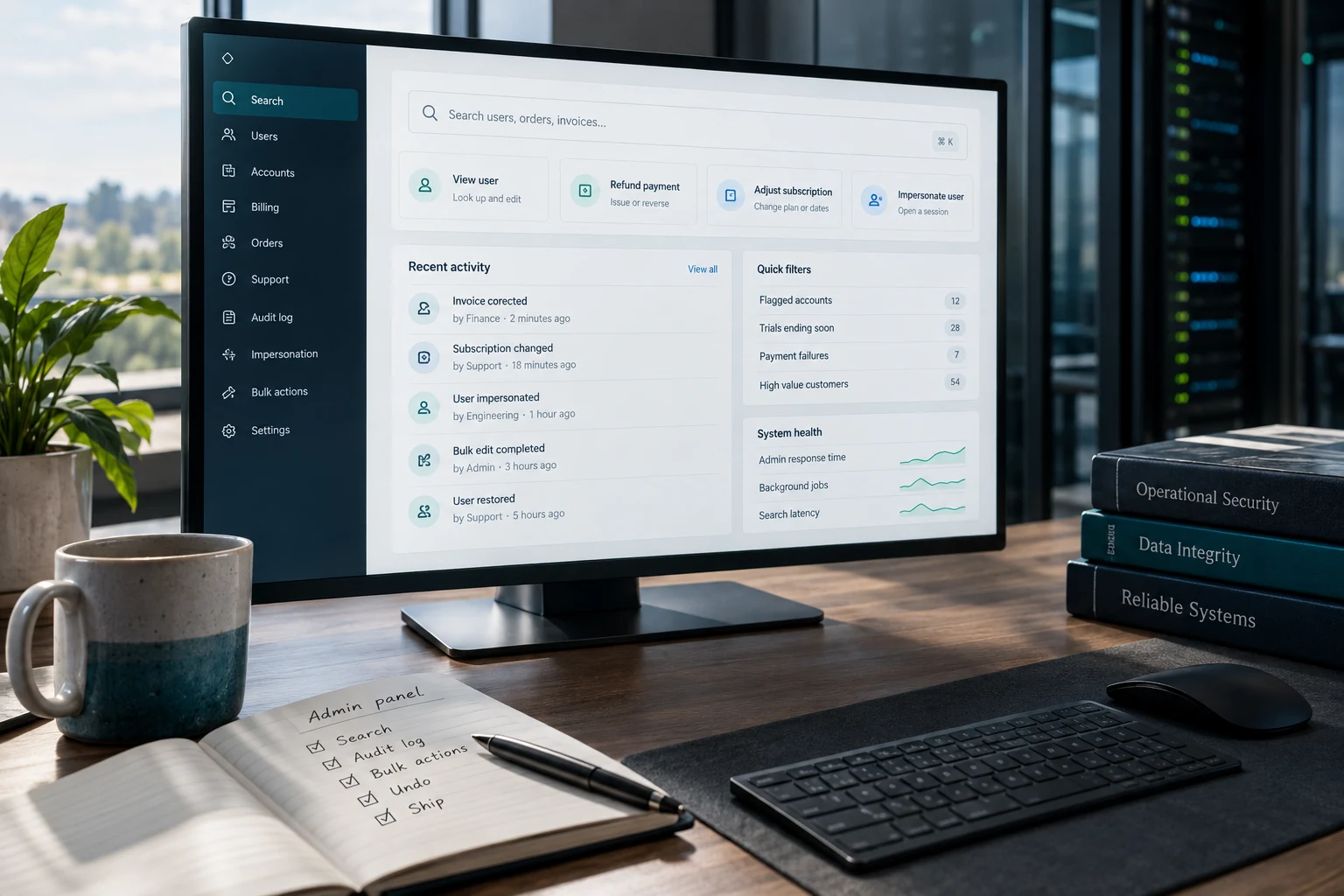

The reason to care is not tidiness. The admin panel sets the floor on how fast your company can answer a customer. If a billing question costs an agent nine minutes of clicking across four screens plus a message to an engineer, that is your handle time, and hiring more agents does not move it. If the panel cannot do the thing at all, the work migrates to a database console, and now there is a write against production with no author, no reason and no record of what the value used to be. Both outcomes are engineering decisions somebody made by not making them.
We have rebuilt enough of these to know the shape of a good one. It is not a grid of your tables with edit buttons. It is a small, opinionated application with its own domain model, organized around the questions people actually arrive with and the operations they are actually permitted to perform. What follows is how we build it, and the order we build it in.
You are probably here because
- Support cannot finish a routine billing or account fix without messaging an engineer, and the customer waits while that happens
- Someone still opens a database console against production, and afterward nobody can say what the value used to be or who changed it
- A customer asked who on your team looked at their record last quarter, and the only answer available is a screenshot
These are three symptoms of one root cause, a panel built as an editable grid over your tables instead of named operations that record what happened, and the two sections that fix it are “Model actions, not fields” and “An audit trail somebody can actually read” below.
Four people use it and they want incompatible things
The first mistake is treating "admin" as one audience. There are four, their needs conflict, and a panel designed around any single one of them gets routed around by the rest.
The support agent. Has a person waiting on a chat right now. Needs one search box, a single screen that answers everything about that customer, and a handful of safe operations reachable without a page load. Measures the tool in seconds. Will never read your documentation.
The operations or finance analyst. Works on sets rather than individuals. Wants filters that compose, a reconciliation view, an export, and the ability to apply one correction across nine hundred records without opening a ticket. Measures the tool by whether the numbers can be defended afterward.
The on-call engineer. Arrives mid-incident with a question nobody anticipated. Needs raw state, including the fields the polished views hide, plus the ability to requeue a job or replay a webhook. This is the user who explains why a panel of curated read-only screens always loses to a database session.
The person accountable for access. Barely uses the panel and is judged entirely on it. Has to answer who can do what, who did what last quarter, and how that changes automatically when somebody moves teams. If the answer to any of those is a screenshot, there is no answer.
Build for the agent first, because that is where the volume is. Build for the on-call engineer second, because that is what stops the routing-around. Analyst and access-owner needs are mostly satisfied by the audit and job infrastructure the first two require anyway, which is a happy accident of doing the first two properly.
Your real competitor is a direct write to the database
Every admin panel competes with a direct write against production, and it loses whenever it is slower or more limited. That single frame has told us more about what to build next than any amount of stakeholder interviewing. Watch where your engineers still open a database console against production. That is your backlog, already in priority order, already sorted by frequency.
A direct write skips validation, skips side effects and leaves no record. Changing a plan through the panel might also prorate an invoice, emit an event other services consume, refresh a cached entitlement set and append a line to the customer timeline. The same change typed as SQL does one of those and silently drops the rest, which is why the resulting bug surfaces three weeks later, to somebody else, with no thread connecting it back. A missing admin feature is never free. The cost is paid in inconsistent data, on a delay, by a different team.
Search is the product
The most-used feature in any admin panel is finding the entity the conversation is about, and it is reliably the worst-built thing in the tool. The person on the other end supplies whatever identifier they happen to have: a personal email that is not the account email, an order number missing its prefix, the last four digits of a card, a phone number with or without a country code, a support ticket reference, sometimes just a company name spelled a third way. A search box that matches one of those fails most of the time it is used.
Build one input. Detect what was pasted, fan out the candidate lookups in parallel, and rank exact identifier matches above fuzzy ones. Trigram indexing, pg_trgm if you are on Postgres, makes substring name matching fast enough that a separate search cluster does not earn its operational cost until you are well past a few million entities. Return in under a second, because an agent who waits three seconds starts a second tab. Underneath the box, list the last ten records this admin touched: a large share of searches are for something looked at ten minutes ago, and recall is cheaper than search.
Then the entity view. One screen, one scroll, no tabs: identity and account status at the top, then money, then entitlements, then the activity timeline, then open support threads, then the most recent audit entries for this record. The test is whether an agent can answer the three most common questions without navigating anywhere. Anything that lives one click away lives, in practice, nowhere.
Default Build Order — Value Per Week of Engineering
Our default ordering, scored by throughput unlocked per week of engineering. Reweight for your product before planning, not after.
Model actions, not fields
Here is the decision that separates an admin panel from a liability. Do not build a generic editable form over your tables.
A field editor lets anybody with access set any column to any value. It cannot express a precondition, it cannot fire the side effects, it cannot be unit tested and it cannot be explained to a customer's auditor. What it can do is place a text input labeled balance_cents in front of a tired human at 4:45 on a Friday.
Build named actions instead. "Issue a refund" rather than editing orders.status. Each action is a small object with four parts: preconditions that decide whether it is even offered, a typed input schema, the effects it performs inside one unit of work, and a mandatory free-text reason that lands in the audit record. Because the action is a function in your codebase, it has a test. Because it is the same function the product API calls, behavior does not fork between the two paths, which is the quiet defect that field editors create and nobody attributes correctly.
Two rules we hold to without exception. An action whose preconditions currently fail is rendered disabled with the reason visible, never hidden, because a missing button generates a support ticket about the support tool. And the reason field is required and free-text, not a dropdown of four canned options. Canned reasons produce a log full of "other". The typed sentences are the only part of an audit trail that has ever explained anything to anybody.
| Action class | Example | Control we require | What gets recorded |
|---|---|---|---|
| Ordinary read | Look up an order or a subscription | Role grant, nothing further | Actor, subject, timestamp |
| Sensitive read | Full payment instrument, identity document, clinical field | Scoped role plus a reason prompt before display | Reason and a retained view record |
| Reversible write | Resend a receipt, extend a trial, unlock a session | Role grant | Before and after values plus the reason |
| Money movement | Refund, credit, plan or price change | Per-role amount ceiling; above it, a second approver | Amounts, reason, linked ticket, both approvers |
| Identity and access | Reset MFA, change the owner email, add an account admin | Second approver and a notification to the account | Full record plus proof the customer was notified |
| Destructive | Delete an account, purge personal data on request | Dual control, soft delete with a restore window | Record retained beyond the deleted data itself |
| Bulk | Anything touching more rows than a stated threshold | Dry run mandatory, chunked job, resumable | Job id with a per-record outcome |
An audit trail somebody can actually read
Most audit logs are a table of JSON blobs written to satisfy a checkbox and read by nobody until the week it matters, at which point they turn out to be unreadable. A useful one is a product surface with its own design work.
Record the acting human, not the service account and never a shared login. Record the subject, the action name, the before and after values for every field that changed, the reason, the request identifier that ties back to your traces, the linked support ticket where one exists, the source address and session, and a flag for whether this happened inside an impersonation session. Write it in the same unit of work as the effect, so an action cannot succeed while its record fails.
Two properties matter more than the schema. It has to be append-only, enforced at the database grant level rather than by convention, because an audit trail that the application can update is a document rather than evidence. And it has to be visible in the panel, on the record, filterable by actor and by action, in language a non-engineer understands. Nobody has ever resolved a billing dispute by reading a diff of two JSON documents.
The access you never logged is the one you will be asked about
Write access gets logged because it changes something. Read access to sensitive data is what a customer's security questionnaire asks about, and it is usually missing. PCI DSS v4.0 Requirement 10 asks you to log and monitor all access to cardholder data, not only modifications. HIPAA's minimum necessary standard at 45 CFR 164.502(b) presumes you can show which staff saw what. GDPR Article 15 gives a subject the right to know how their data was handled, and Article 17 erasure requests are far easier to answer when you can enumerate every place a record was touched. The SOC 2 logical-access criteria run the same direction. Log the view, with the reason, for the small set of fields that deserve it.
Impersonation, done properly
"View the product as this customer" is the single most valuable feature in a support tool and the one most likely to appear in an incident report. It resolves a class of ticket that is otherwise unresolvable, because the customer is describing a screen you cannot see. It also hands an employee a session that looks, to every downstream system, exactly like the customer.
We treat it as a separate subsystem with its own rules rather than a convenience toggle.
- Read-only by default. Writing while impersonating requires a distinct, separately logged elevation with its own reason
- A banner that cannot be scrolled away, naming both the real actor and the impersonated account, with a stop control in it
- A hard time cap on the session, enforced server-side, so a forgotten tab is not an open door
- A reason captured at the start and attached to every event produced inside the session
- Every event recorded twice: once as the customer-visible activity, once as an admin event naming the human behind it
- Never permitted against another administrator's account, which is how privilege escalation gets built by accident
- Excluded from product analytics and lifecycle email, or your funnel data and your automated messaging both start lying
- Off for every role that does not need it, which is most of them
Roles are the start of a permission model, not the model
Role-based access gets you most of the way and then stops. The remaining distance is where the real incidents live, and it has four dimensions.
Scope. A support lead in one region should not be able to act on accounts in another. Scope is a filter on the subject of an action, not a different role, and building it as a role produces a role explosion within a year.
Sensitivity. Reading an order and reading a stored payment instrument are different privileges even though both are reads. Tier your fields, put the sensitive tier behind its own grant, and mask by default with an explicit reveal that logs.
Threshold. A refund of forty dollars and a refund of forty thousand are the same action with very different consequences. Attach an amount ceiling to the grant, and route anything above it to a second approver rather than denying it outright. A hard denial with no path just moves the work to whoever has the bigger role.
Time. Break-glass access should exist and should expire. Grants with an expiry date solve the problem that permanent grants create, which is that nobody ever removes one.
Enforce all of it server-side, on the action, in the same function that performs the effect. The interface decides what to show; the action decides what is allowed. If those are the same check, you have shipped a permission system that browser dev tools defeat. Then wire role membership to your identity provider groups and provision through SSO, so the offboarding question has a mechanical answer. The test to run this quarter: pick somebody who changed teams three months ago and enumerate what they can still do.
Send it over and we will tell you what we would change.
Email a screenshot of your busiest admin screen, the list of actions that screen exposes, and one real audit-log row with its before and after values to contact@precisionfederal.com. You get back a short written note naming the three things we would change and why. One business day. No charge, no meeting, no deck.
contact@precisionfederal.comBulk operations and the undo nobody built
Every panel eventually grows a CSV upload, and it is usually the least engineered surface in the tool despite having the widest blast radius. A correction applied to one record is a support interaction. The same correction applied to forty thousand is an outage with a spreadsheet attached.
The pattern that works has six parts. Parse and validate the file without touching anything, then produce a dry-run diff that groups records by outcome: would change, already correct, would fail and why. Require an explicit confirmation that restates the count out loud. Execute as a background job with an identifier, chunked, so progress is visible and the thing is resumable from where it stopped. Make each record idempotent, so a retry cannot double-apply a credit. Write the compensating action at the same time as the bulk action, not after the first time you need it. And put a ceiling on it, above which a second person has to approve.
The anti-pattern is the single transaction spanning every row. It holds locks for minutes, it dies against a statement timeout somewhere in the middle, and it leaves nobody able to answer the only question that matters at that moment, which is which records went through.
Speed, and the queries nobody profiled
Admin queries are the worst-shaped queries in your system. They filter on columns nobody indexed. They use leading-wildcard matches. They join across half the schema to build one screen. They frequently omit the tenant predicate that makes every other query in the application fast, because an admin legitimately searches across tenants. And they run against production, driven by a human who will hit refresh when it feels slow.
Send reads to a replica and route writes back through the same service API the product uses. Give admin traffic its own connection pool, so an analyst exporting a year of transactions cannot starve customer requests. Set statement_timeout low for the admin role and set idle_in_transaction_session_timeout at all, because the classic outage is an admin session that opened a transaction and went to lunch. Paginate by keyset rather than OFFSET once past the first few pages. Cap the rows any interactive list will render, and convert exports above a threshold into a job with a download link instead of a synchronous response that will time out at your load balancer.
None of this is exotic. It is the ordinary discipline your customer-facing endpoints already got, applied to the endpoints that happen to have the highest privilege in the system and the least review.
Build it, or rent the shell
Retool, Appsmith, Budibase and Forest Admin exist because this problem is real and repetitive, and the framework-native options do too: Django's admin, ActiveAdmin for Rails, Filament and Nova in the Laravel world, the table editors in Supabase and similar platforms. All of them will get a usable internal tool in front of your team in days rather than months, and dismissing them is a way of spending six weeks to arrive at something worse.
The rule we apply is a split rather than a verdict. An internal-tool platform is an excellent user interface over an API you own. It is a poor home for authorization and audit. So build the actions as first-class endpoints in your own service, with your own permission checks, your own preconditions and your own audit writes, and let the platform render forms and tables against those endpoints. The tool choice then stays reversible, and the part that both an incident review and a security questionnaire will read sits in your repository, under version control, with tests.
The framework admins carry one specific hazard worth naming. They generate screens directly from your models, which makes them field editors by default. Turning one into an action-based tool is deliberate work: unregister the default model admin for anything holding money or personal data, and expose named admin actions in its place. Teams skip that step because the generated version already works, and the generated version is exactly the thing this article is arguing against.
How Much of Each Surface an Internal-Tool Platform Can Carry
Our default split. The top four are worth renting. The bottom two belong in your codebase no matter what renders the screen.
The screens that earn their place
A complete admin panel is smaller than teams expect. Eight surfaces cover almost everything, and a ninth is usually somebody's pet feature that a saved filter would have handled.
- Universal search — one box, every identifier your customers actually quote, ranked, returning in under a second
- Entity view — identity, status, money, entitlements, timeline, open threads and recent audit on one scroll
- Action drawer — named actions with visible preconditions, typed inputs and a required reason
- Audit trail — filterable by actor, subject and action, written so a finance analyst can read it
- Job console — running and failed jobs, progress, per-record outcomes and a safe retry
- Configuration and flags — what changed, who changed it, for which segment, and how to roll it back
- Access administration — roles, scopes, expiring grants and an offboarding view that is one query
- Support context — the ticket, the notes and a link back, so nobody works from a customer's paraphrase
What we instrument once it is live
An admin panel that nobody measures drifts back toward the database console within a year. Six numbers keep it honest, and the second one is the one that matters most.
Time from search to completed action, median and 95th percentile, split by task class. This is the throughput number, and it is the one that translates directly into support capacity.
Direct writes to production per week. Count them from your database audit extension or your access logs. The target is zero, the trend is what you manage, and every remaining one names a feature that does not exist yet. No other metric on this list will tell you as much.
Search latency at the 95th percentile, and the share of searches returning nothing. Empty results usually mean an identifier type you did not handle rather than a customer who does not exist.
Actions failing their preconditions. A high rate means the interface is offering something it should not, and agents are learning to click hopefully.
Jobs that finished partially applied. Any nonzero number here is an unpaid debt in the bulk pipeline.
Permission denials by role. The distribution finds both problems at once: the over-scoped role nobody trimmed, and the person who has been quietly blocked from doing their job for a month and worked around it.
A two-week first cut
Rebuild Sprint
Two weeks is enough because the expensive unknowns are all measurable inside it. Which repairs actually happen is answered by reading the last quarter of writes rather than asking. Whether search is fast enough is answered by building it against real data volumes. Whether the permission model survives contact with your org chart is answered by wiring one team to it. Everything after that is a steady stream of one-action-at-a-time work that any engineer on the team can pick up, which is the point: an admin panel stops rotting when adding to it is a small, well-shaped task instead of a decision.
What goes wrong, specifically
- A generic field editor over the ORM, still linked in the sidebar, justified as being "only for engineers"
- A shared admin login, so every audit entry names a role instead of a person and none of it is usable in a dispute
- Permissions enforced only in the front end, while the endpoint behind it accepts the same call unauthenticated by scope
- Impersonation with no banner, no cap and no separate record of the human behind the session
- Admin traffic sharing a connection pool with customers, so one export becomes a customer-facing incident
- Bulk updates in a single transaction, with no dry run, no chunking and no per-record outcome
- An audit log that stores the new value and not the old one, which is the half nobody needs
- Actions hidden when unavailable rather than disabled with the reason, generating tickets about the tool itself
- Access removed from memory at offboarding, with no group mapping and no expiring grants
Bottom line
An admin panel is not a side project and it is not a CRUD scaffold. It is the operational interface to your production data, used more hours per week than anything else your team builds, and it deserves the same treatment as a customer-facing surface: a domain model, named operations with preconditions and tests, a record of every consequential thing anybody did, and a permission model that survives someone changing teams. Get search right and the tool gets used. Get actions right and the data stays consistent. Get the audit trail right and the hard conversations, with a customer, an assessor or your own board, get short.
Frequently asked questions
Split it. Rent the interface layer for read-heavy screens, filtered lists and forms, where a platform like Retool or Appsmith saves real weeks. Build the actions themselves as endpoints in your own service, with your own authorization, preconditions and audit writes. That keeps the platform choice reversible and keeps the parts an assessor reads inside your repository.
The acting human rather than a service account, the subject record, the action name, before and after values for every changed field, the free-text reason, the request identifier that ties to your traces, the linked ticket, and a flag for whether it happened under impersonation. Write it in the same transaction as the effect, make the table append-only at the grant level, and render it on the record in language a non-engineer can follow.
Yes, with limits that are enforced server-side rather than by policy. Read-only by default, a persistent banner naming both identities, a hard session cap, a reason captured up front, every event recorded against the real human as well as the customer, never available against another administrator, and excluded from analytics and lifecycle email. Grant it only to the roles that need it.
By making the panel faster than the console for the things they actually do. Instrument direct writes, group them into named actions, and ship them in frequency order. A ban without the replacement moves the work into a private terminal instead of removing it, and you lose the visibility you had.
Small in roles, precise in dimensions. A handful of roles, plus scope on the subject, a sensitivity tier on fields, an amount ceiling with an approval path above it, and expiry on temporary grants. Dozens of roles is the symptom of scope being modeled as roles, and it is the state that makes offboarding a manual exercise.