
The real federal PDF problem
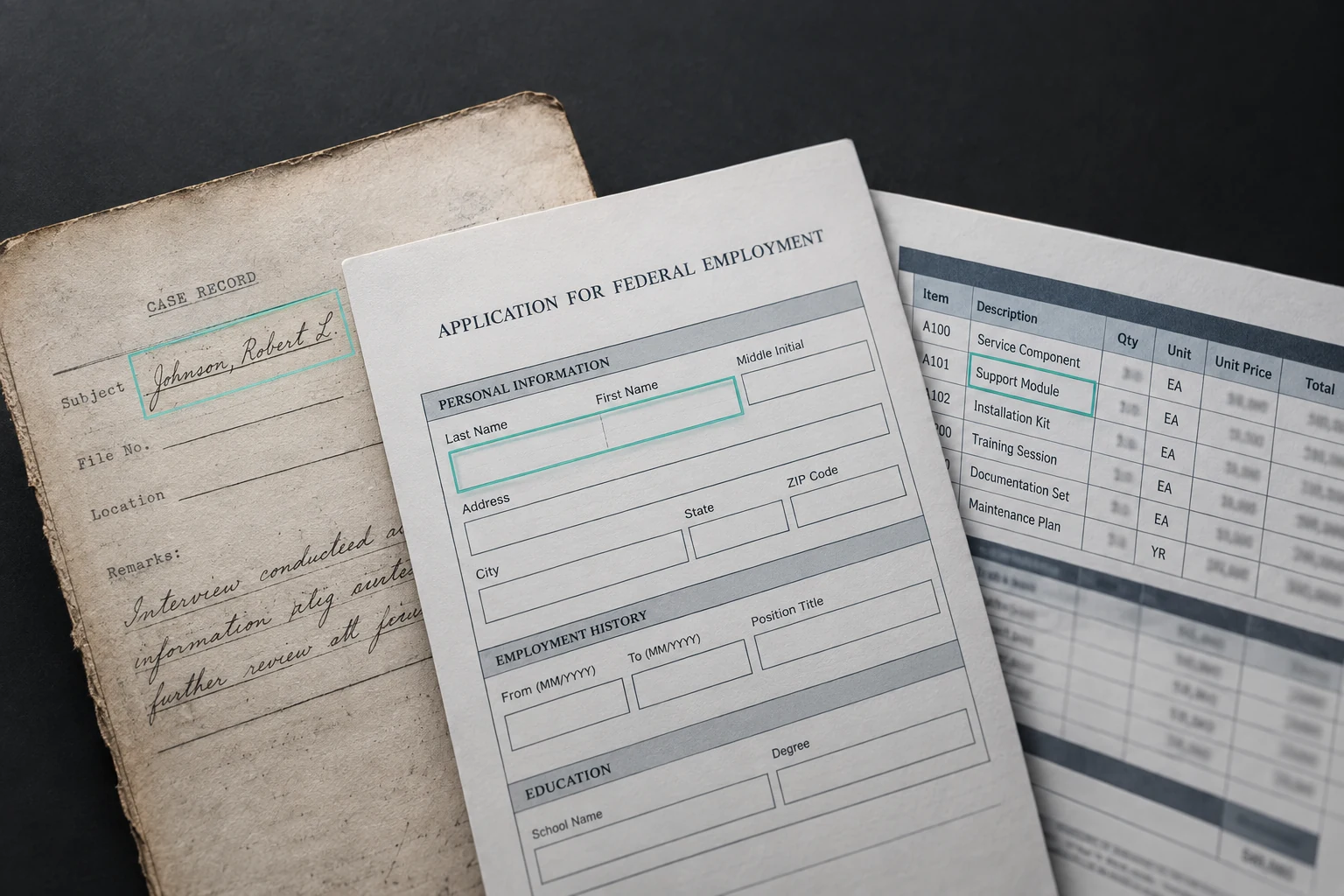
A federal document corpus is not "PDFs." It is a mix of thirty-year-old scanned case files, forms filled in by hand, carefully typeset regulations, Excel-exports-to-PDF, PowerPoints-converted-to-PDF, and attachments-of-attachments. A pipeline designed for clean, born-digital PDFs will encounter all of this and produce garbage on three-quarters of it. The pipeline that ships has to detect what it is looking at and route accordingly.
The pipeline shape
Federal Document AI — Processing Pipeline
Ingest          PDF / DOCX / XLSX / images into landing
Classify        Born-digital vs scanned, per page; doc type
Parse           Text + layout + tables + images per page
Extract         Fields and structured data per doc type
Normalize       Schemas, dates, entities, IDs
Validate        Per-field confidence + human review routing
Persist         Structured records + linked source images
Classification: digital vs scanned
The cheap test: count extractable text in PyMuPDF output. If a page has meaningful character count relative to its dimensions, treat it as born-digital. If near zero, treat as scanned. Middle cases (a scanned page with an overlay of OCR'd text that the scanner added) need a confidence threshold and usually benefit from re-OCR with a better engine.
Document-type classification sits on top: which of N known form types is this (1040, SF-86, DD-254, a contract, a memorandum, a medical record)? A simple classifier on a thumbnail of the first page plus top-of-page text works surprisingly well.
The extraction-tool landscape
| Tool | Strengths | Federal fit |
|---|---|---|
| PyMuPDF / pdfplumber | Fast, local, no external call; born-digital text and layout | First choice for born-digital |
| Azure Document Intelligence | Prebuilt models, handwriting, tables, layout API | FedRAMP High in Azure Gov; strong default |
| AWS Textract | Tables, forms, queries, expense/ID prebuilt models | FedRAMP High in GovCloud; strong AWS default |
| Tesseract | Local OCR; well-known; improving | Default open-source OCR; fine-tuning helps |
| PaddleOCR | Multilingual OCR with detection + recognition | Strong open-source, especially for non-English |
| LayoutLMv3 | Layout-aware token classification; fine-tunable | Best for form-specific extraction at scale |
| Donut / Nougat | Across the stack document understanding, no OCR step | Strong for dense structured documents |
| Marker | Scientific PDFs to Markdown; layout preservation | Research documents, NIST pubs, technical reports |
| Unstructured.io (library) | Mixed-format fallback handling | Useful as a catch-all in ingestion |
| GPT-4o / Claude vision | Ad-hoc or complex cases; multimodal reasoning | Expensive at scale; strong complement for edge cases |
Patterns by document type
Regulations, policies, manuals
Usually born-digital, well-structured. PyMuPDF plus a layout-aware post-processor (Marker, Unstructured) to preserve section hierarchy, heading levels, footnotes, and cross-references. The downstream RAG pipeline depends on preserved structure.
Standard federal forms (SF-86, 1040, etc.)
Fine-tuned LayoutLMv3 or Azure DI custom model. Training set: 100-500 annotated examples per form type. Extraction accuracy after fine-tuning is typically 95-99% on typed fields, 80-95% on handwritten fields.
Case files and investigations
Highly variable. Cover sheets, sworn statements, photographs, correspondence. Per-page classification first, then route. Heavy use of layout + entity extraction for key fields (names, dates, case numbers, agencies).
Contracts and their attachments
Born-digital primary; may have scanned attachments. Section detection is critical (Statement of Work, pricing, terms). Prebuilt models are weak here; expect to fine-tune for agency-specific contract formats.
Technical reports and research
Nougat or Marker preserves math, tables, and figures. Useful for NIST publications, engineering reports, scientific archives. Substantially better than generic OCR on these documents.
Medical records
VA and HHS corpora. Handwriting is common. Azure DI has a prebuilt medical document model; for air-gapped environments, fine-tuned TrOCR on medical handwriting plus structured post-processing.
Table extraction specifically
Tables are where most pipelines break. What works:
Born-digital tables
Camelot's lattice method for tables with visible rules. Camelot's stream method for whitespace-separated tables. pdfplumber is a solid alternative.
Scanned tables
Azure DI Layout or Textract AnalyzeDocument with TABLES feature.
Complex or nested tables
TableFormer or a fine-tuned LayoutLMv3. Commercial extraction APIs often miss merged cells and multi-header structures.
Validation
Row and column counts, type checks per column, total-row validation. Every table extraction is validated before being persisted as structured data.
Confidence scores and human review routing
Every extracted field has a confidence. Low-confidence fields are routed to human review; high-confidence auto-accept. The threshold is calibrated per field type and per downstream risk. A missing date on a case file (high downstream risk) gets reviewed at a lower confidence threshold than a free-text memo-subject (lower risk).
Human review interface: the original image snippet alongside the extracted value, the reviewer confirms or corrects, corrections feed back into the training set.
LLM vision as complement
Vision-capable LLMs (GPT-4o via Azure OpenAI Gov, Claude via Bedrock) are useful in specific document AI roles:
Rare document types
where training a dedicated model is not cost-effective.
Validation / adjudication
of pipeline output on ambiguous cases.
Zero-shot extraction
on new document types before a specific model is trained.
Complex reasoning over the document
(summarization, entity resolution across pages).
We do not default to LLM vision as the primary extraction engine at scale because cost and auditability favor the dedicated pipeline. We do use it as a complement and a fallback.
Governance and provenance
- Every extracted field links to a specific page and bounding box in the source.
- Every extraction run records the pipeline version, model versions, and tool version.
- Confidence scores are preserved alongside values.
- Human reviewers and their corrections are logged.
- Classification of the source document propagates to the extracted structured record.
- PII detection runs on extracted text before persistence; tagged spans are flagged for downstream handling.
Failure modes
- Silent OCR failure. A page is mostly blank or the OCR returned empty text and the pipeline silently moved on. Validate non-zero text on every page; flag anomalies.
- Column misalignment on tables. Column widths varied across pages; extraction stitched wrong cells. Validate headers on every page.
- Handwriting mis-read as a plausible value. "1980" read as "1930". Confidence threshold alone will not catch; validate with range checks and downstream logic.
- PII leakage into logs. Extracted text written to CloudWatch with PII. Scrub logs; never log raw extracted fields in plaintext.
- Model drift on a new form revision. Agency updates form v4 to v5; extraction accuracy collapses. Track extraction accuracy over time; alert on regression.
- Rotation and skew. Scanned pages rotated or skewed; OCR fails. Preprocess with deskew and rotation correction (OpenCV).
Where this fits in our practice
We build document AI pipelines as a first step in many federal programs. See our OCR for legacy federal documents for the archival case and our RAG architecture for what typically consumes the extracted content.